A customer drives across town to your shop. The door is locked. Your Google listing said you were open, so they leave a one-star review that says "Closed," and they go to a competitor instead.
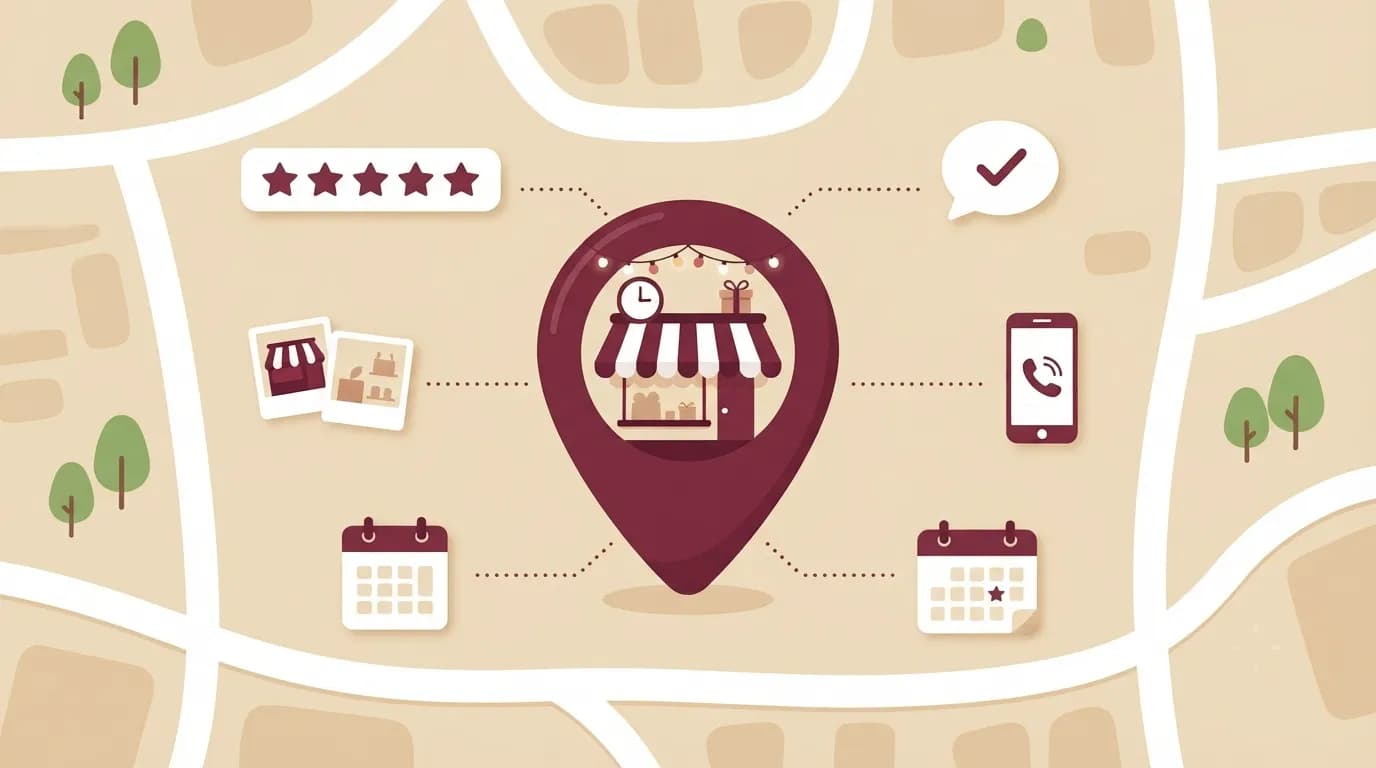
It happens every holiday season, and it's almost always avoidable. Your Google Business Profile is often the first thing a local customer sees, before your website, and it's the one place where a small mistake can cost you a visit, a sale, and a review all at once.
The next few weeks are the busiest time of year for most local businesses. Here are seven quick updates to make before the rush.
Why Your Profile Matters So Much
Google says local results are based on three things: relevance (how well you match the search), distance (how close you are), and prominence (how well known and trusted you appear). You can't change your distance, but you can influence the other two, and your profile is where most of that happens.
Local search experts also put numbers on it, though these are estimates from surveys, not figures from Google. In Whitespark's 2026 expert survey, profile signals made up about 32% of local-pack ranking weight, and reviews about 20%. In BrightLocal's 2026 consumer survey, 47% of people said they won't use a business with fewer than 20 reviews, and 74% of US consumers look for reviews written in the last three months.
1. Set Special Hours for Every Holiday
This is the most important update, and the most commonly missed.
- Use "special hours," not your regular hours. Special hours apply to a single date and then your normal schedule returns on its own. If you edit your regular hours instead, you may forget to change them back.
- Add a date even if you're open as usual. Google recommends confirming holiday hours, so customers aren't left guessing.
- Do it early. Two weeks ahead is a sensible minimum.
- Include local holidays and festivals, not just the big international ones.
How to do it: Open your Business Profile, choose Edit profile, then Hours, then Special hours, and add each date. The wording can change slightly when Google updates its interface.
Afterwards, update your website's contact page and any directory listings to match, so every source shows the same hours.
2. Check That Your Core Details Are Correct
Look at your profile the way a customer would, on your phone. Check that these are right:
- Business name, address, and phone number
- Website link
- Service area, if you travel to customers
- Opening hours, including any "more hours" for delivery or appointments
These should match your website exactly. Our posts on schema markup for local businesses and the year-end website checkup explain why consistency matters.
3. Review Your Main Category and Services
Your primary category tells Google what kind of business you are, and experts rate it among the strongest local ranking factors.
- Choose the most specific category that fits, such as "dental clinic" rather than just "health"
- Add secondary categories only where they're truly accurate
- Update your list of services or products, including anything seasonal
4. Add Fresh, Real Photos
Photos are one of the first things people look at. Upload current ones, not old stock images:
- Your storefront and entrance, so people recognize it
- Your team
- Popular products or services in action
- Any seasonal displays or decorations
Aim to add a few new photos every month or two, not just once a year.
5. Reply to Reviews and Ask for New Ones
Reviews help customers choose and help your profile stand out.
- Reply to every review, positive and negative, ideally within a couple of days. Keep replies short, polite, and specific.
- Ask happy customers for a review, for example with a friendly message after a good visit, or a link on your receipt.
- Don't offer rewards for reviews, and don't only ask people you expect to be positive. Google's policies prohibit both.
Recent reviews matter, so a steady trickle is better than a burst once a year.
6. Post an Update
Google lets you add short posts to your profile. Use them for:
- Your holiday opening hours
- Seasonal offers and events
- New products or services
If you also sell online, link the post to your sale page. Our guide to getting your online store ready for Black Friday covers that side.
7. Make It Easy to Get in Touch
Many local searches end in a phone call or a message, so check the basics:
- Does the phone number on your profile ring through to someone?
- Is there a working link for bookings, enquiries, or WhatsApp?
- Do you have a plan for questions that arrive after hours?
An automatic reply to after-hours enquiries can stop a customer from moving on. For an example of how this works in practice, see our post on AI for real estate businesses.
Worth Noting: Nobody outside Google knows exactly how much each factor counts, so treat survey percentages as a guide, not a formula. What's certain is that accurate hours, good reviews, and a complete profile make you easier to find and easier to trust.
A 10-Minute Monthly Routine
Once the holiday updates are done, a short habit keeps your profile in shape:
- Open your listing on your phone and check the hours
- Reply to any new reviews
- Add one or two new photos
- Post a short update
The Bottom Line
Your Google Business Profile is free, it's quick to update, and it often decides whether a local customer walks through your door. Before the holiday rush, set your special hours, check your details, and tidy up your photos and reviews. A few minutes now can save you from the wrong kind of review later.
At Elite Web Technologies, our Technical SEO team can help review how your business appears in search. You can see examples of our work in our portfolio.
Want a second opinion on how your business looks in local search?Contact Elite Web Technologies and we'll take a look.