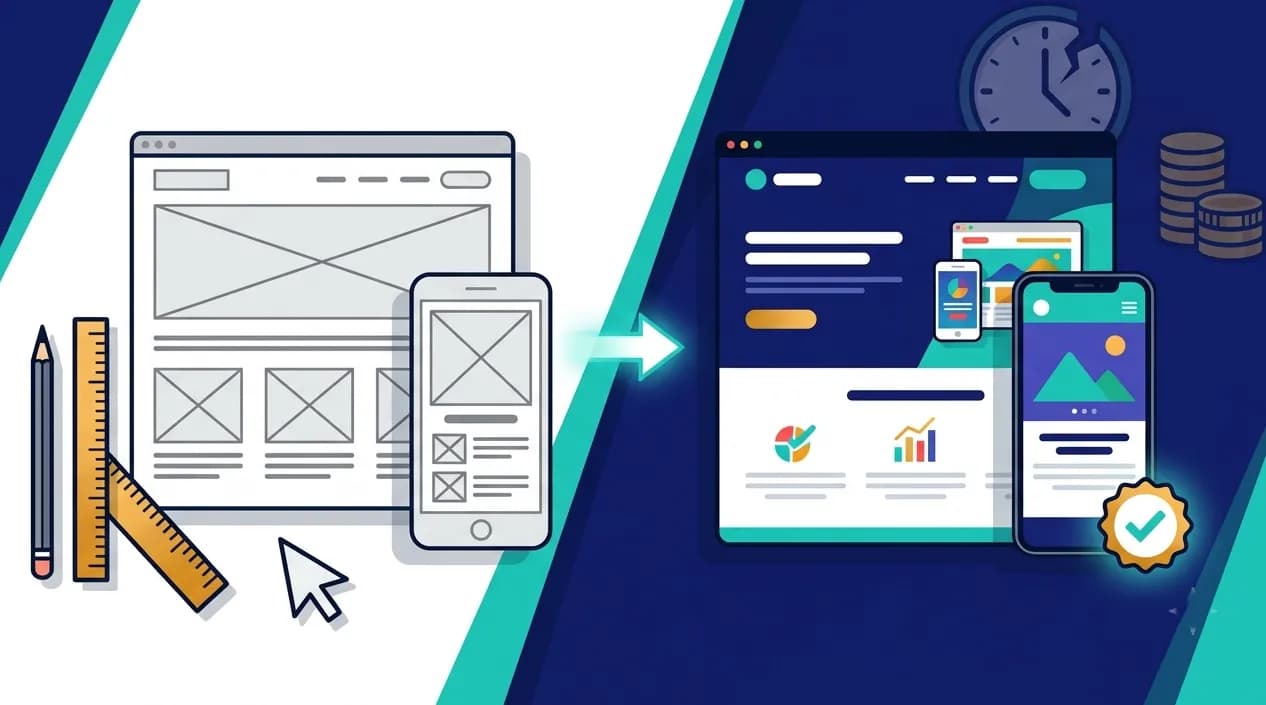
Fixing a navigation problem in a wireframe can take about 30 minutes. Fixing the same problem after visual design and front-end development can take days, and pull in designers, developers, and QA all at once.
That gap is the whole argument for wireframing. Yet on a lot of projects, it's the first step to get squeezed. The brief says "we already know what we want," the deadline is tight, and the team jumps straight to code. Then the rework starts.
This article breaks down what the research actually says about the cost of late changes, where wireframes and prototypes each fit, and how to use them without slowing your project down.
The Cost of Changing Your Mind Keeps Climbing
Software research has documented for decades that the later a problem is found, the more it costs to fix. A few data points worth knowing:
- Roughly 60% of software system failures trace back to the early stages of a project, usually unclear, ambiguous, or incomplete requirements, according to research from Barry Boehm.
- Requirement errors cost progressively more at each stage. One widely cited study estimates 3 to 8 times more to fix during design, 7 to 16 times during development, and 21 to 78 times during testing, compared with catching them at the requirements stage.
- IBM Systems Sciences Institute research is commonly cited as showing a defect costs about 6 times more to fix during implementation than during design. You'll also see "up to 100 times more after release" repeated across the industry. Treat that top figure as a rule of thumb, not a precise benchmark, since the real multiple varies a lot by project.
- Forrester Research has found that companies using prototyping can reduce overall development costs by as much as 33%.
The exact multiples differ depending on the source. The direction doesn't. Early fixes are cheap and late fixes are expensive.
Wireframe, Mockup, Prototype: What Each One Is For
These three terms get mixed up constantly, and using the wrong one at the wrong time is a common source of rework.
- Wireframe — a simple, low-detail layout showing structure, content hierarchy, and navigation. It answers "what goes where, and how does a person move through this?" Changes take minutes.
- Mockup — a static, high-fidelity visual showing exactly how the finished design will look, with colors, typography, and imagery. It answers "is this the look we want?"
- Prototype — an interactive model that simulates real user flows, so people can click through it and test it before any code exists. It answers "does this actually work when someone uses it?"
For simple, low-risk projects, wireframes alone may be enough to move into development. For complex products, customer-facing platforms, or revenue-critical flows like checkout and onboarding, prototyping is where the biggest savings sit.
Why Wireframing Saves So Much
- It makes disagreements visible while they're cheap. When stakeholders interpret requirements differently, teams build fast in the wrong direction. A wireframe forces everyone to look at the same picture and say "yes" or "no" before anything is built.
- It keeps feedback focused on structure. Without colors and fonts to react to, reviewers talk about flow, hierarchy, and functionality, which are the decisions that are hardest to change later.
- It catches usability problems with very few users. Usability research from Nielsen Norman Group shows that testing with as few as five people can surface roughly 85% of major usability issues.
- It gives developers a clear target. A well-annotated prototype reduces misinterpretation at handoff, which is one of the most common sources of "that's not what we meant" rework.
- It protects your timeline. Changes to a wireframe take hours. Changes to finished designs take days. Changes to a built product take weeks.
Worth Noting: Wireframing doesn't remove the need for iteration. It moves iteration to the stage where it costs the least. Teams that skip it don't avoid changes, they just make them later, in code, when every change touches more people and more files.
What Skipping Wireframes Actually Looks Like
If you've worked on a project without a design phase, a few of these will sound familiar:
- The "can we just move this section?" loop — layout decisions get made in code, and each change means a developer reworking components instead of a designer moving a box.
- Features discovered mid-build — a missing screen (an empty state, an error flow, a settings page) turns up in week six and nobody budgeted for it.
- Stakeholder surprise at the first demo — the first time leadership sees the product is when it's already built, so feedback arrives at the most expensive possible moment.
- Mobile as an afterthought — screens designed for desktop get squeezed onto phones late in the project, forcing structural rework.
- Inconsistent patterns — without a shared reference, different developers solve the same problem different ways.
How to Wireframe and Prototype Without Slowing Down
- Start low-fidelity. Rough sketches and simple grayscale wireframes are faster to produce and easier to throw away, which is exactly what you want in the first round.
- Wireframe the whole flow, not just the homepage. Include the unglamorous screens: sign-up, empty states, error messages, confirmation pages, and account settings.
- Test early with a handful of real users. Five people is enough to find the biggest problems. You don't need a research budget to get value here.
- Prototype the high-stakes parts. Spend extra effort on onboarding, checkout, booking, or any flow where a mistake directly costs you money.
- Annotate for handoff. Clear notes on behavior, edge cases, and interactions reduce guesswork for developers and cut back-and-forth.
- Use shared, live design files. Working in a shared file rather than passing around static images keeps everyone on the latest version and stops unbuildable designs from getting approved.
- Prototype once, build many. The same validated design can guide a web build in React.js / Next.js and mobile builds in Flutter, iOS, or Android, so you're not redesigning for each platform from scratch.
A Practical Example
Picture a company planning a multi-vendor marketplace. Before any code, the team wireframes three separate journeys: the buyer's, the seller's, and the admin's. In a click-through prototype, testers discover that sellers can't tell whether an order has been paid or only placed, a detail that would have meant rewriting the order-status logic if found after launch. Fixing it in the prototype takes an afternoon. This is the kind of upfront clarity that matters most on complex builds like our Marketplace Development projects, where several user types share one platform.
The Bottom Line
Wireframing and prototyping aren't extra steps added to a project. They're the cheapest place to make the decisions that would otherwise be made later, in code, at a much higher price. Teams that invest a little time up front tend to ship with fewer surprises, fewer revision cycles, and a clearer shared understanding of what's being built.
At Elite Web Technologies, our Wireframing & Prototyping service is built around exactly this: validating structure and user flow before development starts, so the build phase is about execution, not discovery. You can see how this approach plays out across real projects in our portfolio.
Planning a web or mobile product and want to get the design right before the code?Contact Elite Web Technologies to talk through your project.